20+ years of experienceOrganization, proper crew and safe handling of the building.








The transport of office equipment (computers, monitors, printers, network equipment, servers) are among the most sensitive parts of a relocation. A mistake in packaging or organization can lead to damage, data loss and delay in reopening the team.
Objective: to transport the equipment safely and get it up and running again quickly, with a clear plan (inventory → disconnect/marking → backup → packing → transport → inspection).
Office equipment transport: what it includes
In practice, you are not only carrying «boxes». You are moving an entire operation: files, settings, cabling, routers/switches, UPS, printers, telephone systems and peripherals. That's why proper preparation is the 50% of success.
Pre-move organisation (checklist)
Start with a simple but comprehensive checklist. Ideally, assign a manager per department or per office zone.
- Inventory Equipment: device, serial number, location (office/room), destination.
- Wiring photos: before disconnection (especially on racks/servers/telephone centres).
- Forensics: adhesive/painted ties on cables and power supplies (without covering ports/ducts).
- Day One Plan: which computers/printers/networks need to be set up first.
- Timing: plan to reduce the downtime (e.g. weekend or out of hours).
Data security before transfer
Before anything is moved, make sure there is updated backup (and that you can reset it). For businesses that handle personal data, security/confidentiality is a key obligation, so it's worth checking policies, access rights and encryption on laptops or portable media.
- Hold at least 2 copies (one off site) and check that the reset is «playing».
- Wherever possible, encrypt disks (especially on laptops) and limit access to backups.
- For servers, hold and settings export (e.g. firewall/router/switch) for a quick reset.
Packaging of computers, monitors and network equipment
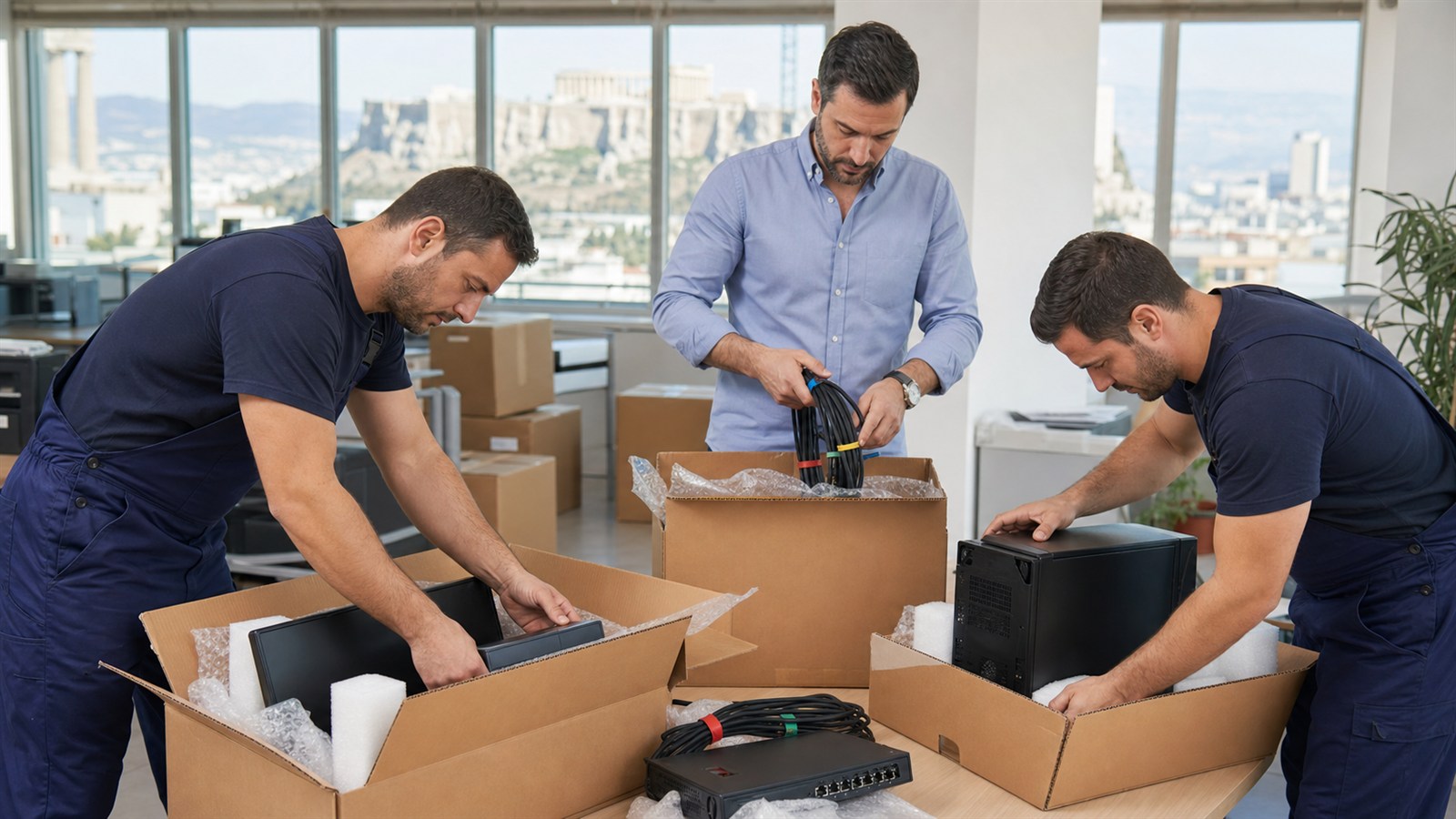
The packaging must be protected against shock, vibration and static electricity. If the original boxes are available, it is always the best solution. Otherwise, use reinforced boxes and appropriate protection materials.
- Screens: ideally vertical, with foam protection at the corners.
- Desktop/servers: stable positioning, without «gaps» that allow movements inside the box.
- Cables/regional: in separate bags/boxes per workstation, with a code corresponding to the inventory.
- UPS: transport in an upright position, with protection on the limbs.
Tip: Do not leave «loose» power supplies. Place them with the device or in kits per workstation to avoid wasting time reconnecting them.
Transport and delivery: what to look out for
When loading, the aim is to «lock» the equipment so that it does not move. In multi-storey buildings or difficult accesses, a hoist or special handling may be required.
- Stable binding in the vehicle and correct weight distribution.
- Protection from moisture/rain loading/unloading (especially on external routes).
- Delivery appointment with clear time windows and access to space.
Reinstallation and control after the move
Follow the inventory to confirm that everything has been delivered. Set up first what is needed to run the business on «day one» and then move on to secondary systems.
- Operation control per device (power, image, network, prints).
- Check the network (switches/routers/Wi-Fi) before connecting all computers.
- Test access to critical applications (ERP/CRM, email, shared drives).
How an organized moving company helps with office moving
A corporate move requires coordination, equipment protection and clear communication. If you want transportation and organization support, check out Prime Moving's services for removals & transfers and, if the old site needs to be delivered «clean», the service emptying of premises.
Frequently asked questions
How early should I start moving office equipment?;
For small offices, 2-3 weeks in advance is usually sufficient. For larger spaces or if there are racks/servers, aim for 4-6 weeks to catch up on inventory, technical plan and time windows.
Do I need to backup before I move computers and servers?;
Yes. Before you start transferring office equipment, keep updated backups (and try restoring). This reduces the risk of data loss from an accident or failure.
How do I label cables and peripherals to avoid wasting time?;
Take pictures before disconnecting and use per-job encoding (e.g. G3-01). Put same code on computer/monitor/power supply/cable bag to make reconnection quick.
Which packaging materials are suitable for electronic equipment?;
Ideally the original boxes. Alternatively, reinforced boxes, foam protection, anti-static bags where needed and proper «stuffing» to keep equipment from moving around in the pack.
Can Prime Movers undertake an office move with sensitive IT equipment?;
Yes. We organise the transportation of office equipment with proper packaging, labelling and delivery coordination to reduce downtime. We can tailor the plan according to space, access and volume.